
How to Use Lightning Lanes
First and foremost, download The My Disney Experience app. In order to buy Lightning Lane Passes you have to buy them through the app. You can start to buy these and make your selections 3 days (7 days for Disney Resort stays) prior to your park day. Select the park you want for the day and purchase the Lightning Lane Passes and select your first three rides, prioritizing must do rides.
We tend to make a list of the rides we want to go on well in advance of the purchasing window to make sure we have the best chance at booking our favorite rides. At Magic Kingdom, Epcot and Disney's Hollywood Studio's there are tiered levels for rides, and you can only book one of them to start with for your 3 multi pass rides, this tier is where to pay the closest attention as the time slots fill up fast and many on busy days can sell out, leaving you in the standby lane for some.
My Disney Experience Mobile App | Walt Disney World Resort
Using Lightning Lane Entrances
To use your Lightning Lane Passes and get on your ride you will tap in like you do with getting into the park, during your time window.
You have options of how you can do this:
- MagicBand and MagicBand + (my preferred, I love picking them out)
- Disney MagicMobile Pass (phone digital wallet, apple watch or Android device)
- Key to the World Card or ticket card that's linked to your admission (can be your resort room card you get at check in)
All of these are managed in your My Disney Experience App.
Click the link below for mor information on Methods of Entry on Disney's website
Ways to Access the Magic During Your Walt Disney World Vacation | Walt Disney World Resort
Let's tackle Lightning Lanes
Types of Passes
- Lightning Lane Multi Pass
- Lightning Lane Single Pass
- Lightning Lane Premier Pass

Multi Pass
- Chose up to 3 multi pass rides and attractions and the time slot for your selection once you purchase the Lightning Lane Multi Pass. to start choose one Tier 1 ride and 2 Tier 2 rides.
- After you go on your first ride you are able to select another ride and time slot out of what is left available at that time it can be tier 1 or tier 2 ride now.
- Don't forget to get your pictures within My Disney Experience App, you are able to download certain attraction pictures and videos.
- You can make your selections 3 days in advance, but if you are staying at a Disney Resort or other select hotels you can select your Lightning Lane Multi Pass 7 Days in advance for your whole stay up to 14 days.
- You can purchase a Multi Pass and also purchase Lightning Lane Single Passes for some premium, high in demand rides.
- You can use it with Park Hopper tickets at multiple parks in one day as long as there is available time slots left for the rides you want to go on. Make sure to allow enough time to make your hour window of time to get into the Lightning Lane.
- Keep in mind this is only one Lightning Lane entry per ride, per day, per pass. You cannot book the same ride twice, but you can always use the standby lines or single rider lines if you want to go on the ride again.

Single Pass
- These are your newer in-demand Rides
- You can only purchase 2 single passes a day if they are available, these passes go very fast.
- Again, just like with Multi pass, you can make your selections 3 days in advance, but if you are staying at a Disney Resort or other select hotels you can select 7 Days in advance for your whole stay up to 14 days.
- Just like with multi pass, don't forget to get your pictures within My Disney Experience App, you are able to download certain attraction pictures and videos.

Premier Pass
- The Premier Pass is more expensive than the multi pass and the single pass combined.
- There is no time slots booked for this pass, you go on each ride once (including the single pass rides) anytime you want by going to the lightning lane entrances.
- This is only for one park only per day, you cannot park hop and still use the lightning lanes at the next park you go to.
Park Experiences

Magic Kingdom
Single Pass
- Seven Dwarfs Mine Train
- TRON Lightcycle Run
Multi Pass
Tier 1 more in demand rides
- Big Thunder Mountain Railroad
- Jungle Cruise
- Peter Pan's Flight
- Space Mountain
- Tiana's Bayou Adventure
Tier 2
- The Barnstormer
- Buzz Lightyear's Space Ranger Spin
- Dumbo The Flying Elephant
- Haunted Mansion
- "It's a small world"
- Mad Tea Party
- The Magic Carpets of Aladdin
- The Many Adventures of Winnie the Pooh
- Mickey's PhilharMagic
- Monsters Inc. Laugh Floor
- Pirates of the Caribbean
- Tomorrowland Speedway
- Under the Sea Journey of the Little Mermaid
Epcot
Single Pass
- Guardians of the Galaxy: Comic Rewind
Multi Pass
Tier 1
- Frozen Ever After
- Remy's Ratatouille Adventure
- Test Track
Tier 2
- Disney and Pixar Short Film Festival
- Journey Into Imagination with Figment
- Living with the Land
- Mission: Space
- The Seas with Nemo & Friends (Aquarium)
- Soarin' Across America
- Spaceship Earth
- Turtle Talk with Crush (interactive)
Disney's Hollywood Studios
Single Pass
- Star Wars: Rise of the Resistance
Multi Pass
Tier 1
- Mickey & Minnie's Runaway Railway
- Millennium Falcon: Smugglers Run
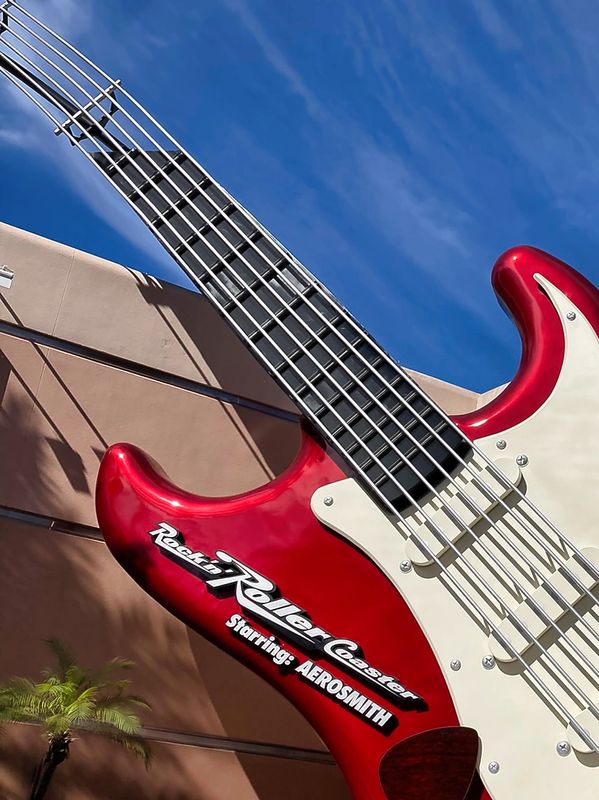
- Rock 'n' Roller Coaster Starring The Muppets
- Slinky Dog Dash
Tier 2
- Alien Swirling Saucers
- Beauty and the Beast Live on Stage
- Disney Jr. Mickey Mouse Clubhouse Live!
- For the First Time in Forever: A Frozen Sing along Celebration
- Indiana Jones™ Epic Stunt Spectacular!
- The Little Mermaid A Musical Adventure
- Star Tours: The Adventures Continue
- Toy Story Mania!
- The Twilight Zone™ Tower of Terror
Disney's Animal Kingdom
Single Pass
- Avatar Flight of Passage
Multi Pass
- Expedition Everest - Legend of the Forbidden Mountain
- Feathered Friends in Flight!
- Finding Nemo: The Big Blue... and Beyond (show)
- Kali River Rapids (water ride)
- Kilimanjaro Safaris
- Na'vi River Journey
- Zootopia: Better Zoogether! (In the Tree of Life)